
- News
- Technology News
- Tech Tips News
- WhatsApp launches parent-managed accounts for pre-teens: Step-by-step guide to control contacts, privacy, and group access safely
WhatsApp launches parent-managed accounts for pre-teens: Step-by-step guide to control contacts, privacy, and group access safely

WhatsApp launches parent-managed accounts for pre-teens: Step-by-step guide to control contacts, privacy, and group access safely
WhatsApp has long been part of daily family life. It’s simple. Reliable. Private. Millions of families use it to keep in touch, check on after-school activities, share milestones, or just say “I’m home.” Now, it seems, WhatsApp is taking a step further to help parents feel more in control. The company is rolling out parent-managed accounts, which allow parents or guardians to set up WhatsApp for pre-teens. These accounts come with new controls that limit the child’s WhatsApp experience to messaging and calling.
Setting up the account appears straightforward, but it needs a bit of coordination. Parents need their own phone and the device purchased for the child, side by side. Once linked, the parent can manage privacy settings, control who can contact the account, and decide which groups the child can join.
PC: AI Generated

How the parent-managed account works: Step-by-step guide
The idea is to give parents the tools they need while keeping children’s conversations private. All accounts are still protected with end-to-end encryption, so nobody can read messages.
PC: AI Generated

Prepare both devices
Make sure you have your own phone and the child’s phone ready.
PC: AI Generated

Link the accounts
Open WhatsApp on both phones and follow the on-screen instructions to connect the parent account with the child’s account.
PC: AI Generated
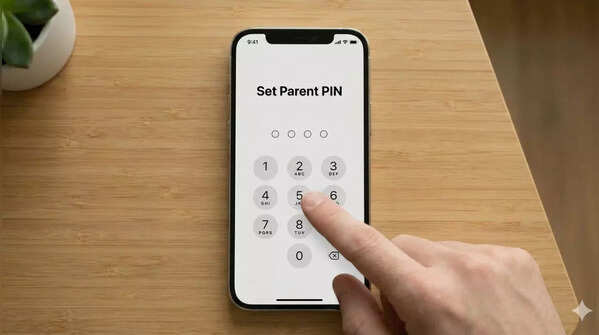
Set a parent PIN
Make a PIN on your device. It will help you restrict others from accessing the child’s account.
PC: AI Generated
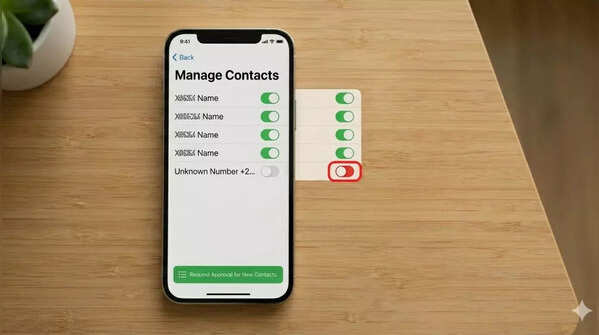
Control contacts
Make a choice regarding the people allowed to contact the child. You may choose to restrict the people contacting the child or monitor requests from unknown people.
PC: AI Generated

Manage groups
Make a choice regarding the groups the child may participate in. You will get notifications whenever the child is invited to a new group.
PC: AI Generated
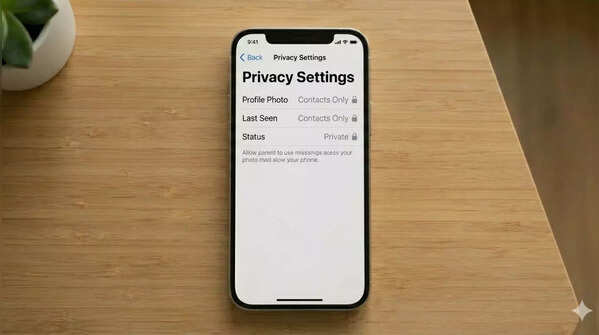
Change the privacy settings
Set preferences regarding the profile, last seen, and status updates. Only the parent may change these settings.
PC: AI Generated
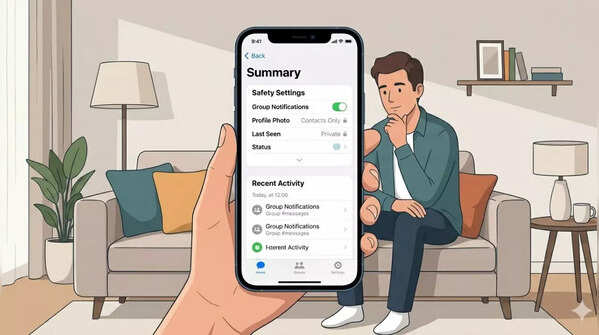
Monitoring and updating
Review the child’s account settings, messages from unknown people, and groups. Update the settings as the child grows.
PC: AI Generated

Why is it important
WhatsApp says the new parent-managed accounts are part of their effort to make the app safer for pre-teens. Many parents worry about group chats, unknown contacts, and online strangers. With these new tools, they reportedly get more visibility over who the child interacts with and what kind of groups they join.
The controls are not overly invasive, which is important. Messaging remains private, but parents can still intervene if necessary. Some families have already tried beta versions and reportedly found it reassuring to have this level of oversight without breaking the trust between parent and child.
Featured In Technology

